Zentrik + Alloy
Prototype from a real screen, not a blank prompt. Zentrik supplies the structured “what should change” story from your initiative; Alloy’s extension captures the page you want to evolve.
Alloy is ideal when you already have a live UI to iterate on. Zentrik generates instructions from initiative context; Alloy’s browser extension grabs the DOM snapshot so edits stay grounded in what users see today.
Finish in Generate prototype on the initiative, then capture and continue in Alloy. Save URLs back on the initiative when you want a durable link in the asset library.
How to run it
- From Assets → Create prototype, choose Alloy in Generate prototype and complete the in-modal generation step.
- Open Alloy’s browser extension and capture the page that should be the baseline.
- Continue in Alloy with that capture plus the instructions Zentrik prepared.
- Use Save external prototype when you have a URL worth pinning next to other initiative assets.
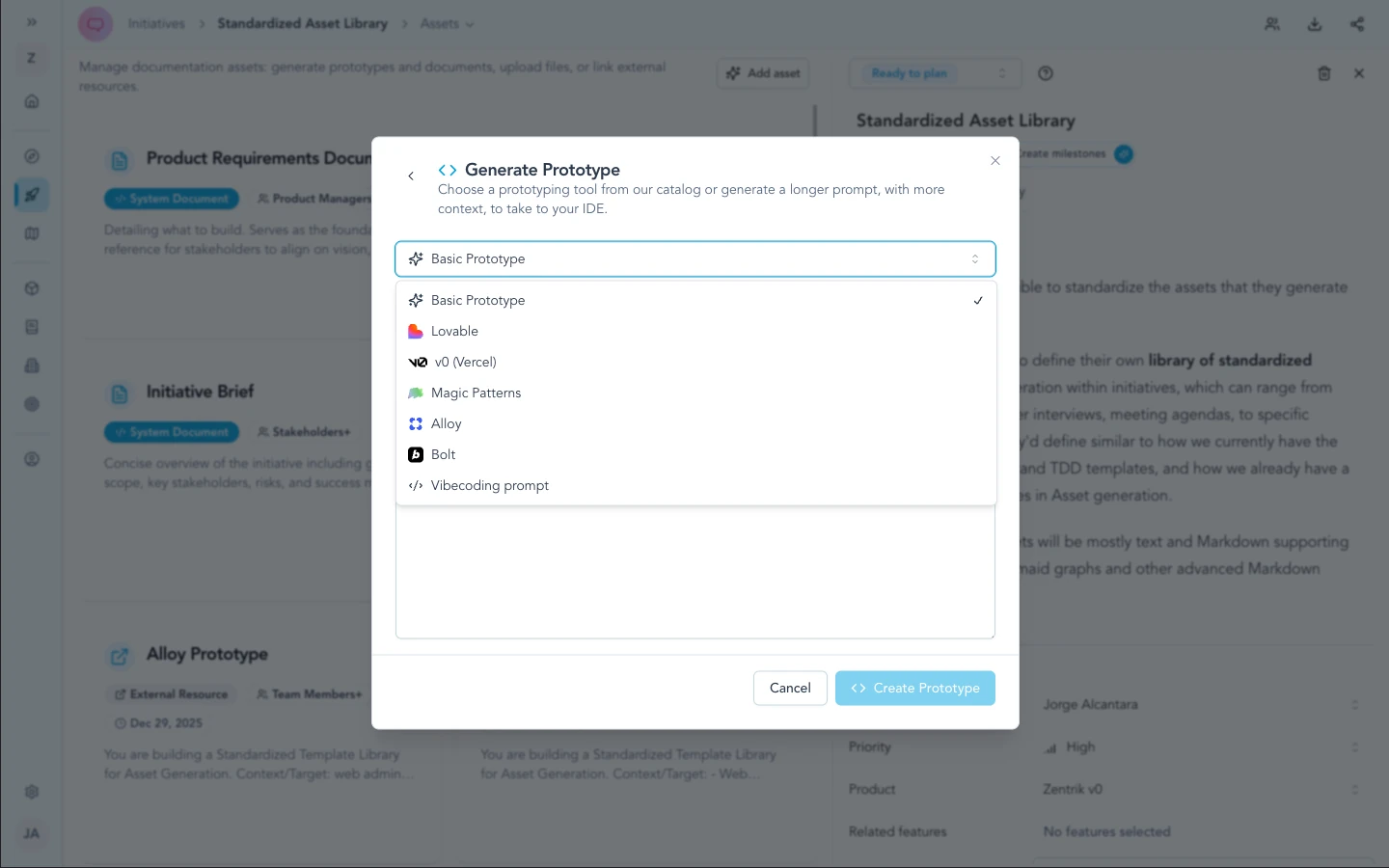
Pick Alloy from Create prototype after Zentrik prepares the prompt; then use Alloy's browser extension to capture the baseline page before continuing in Alloy.
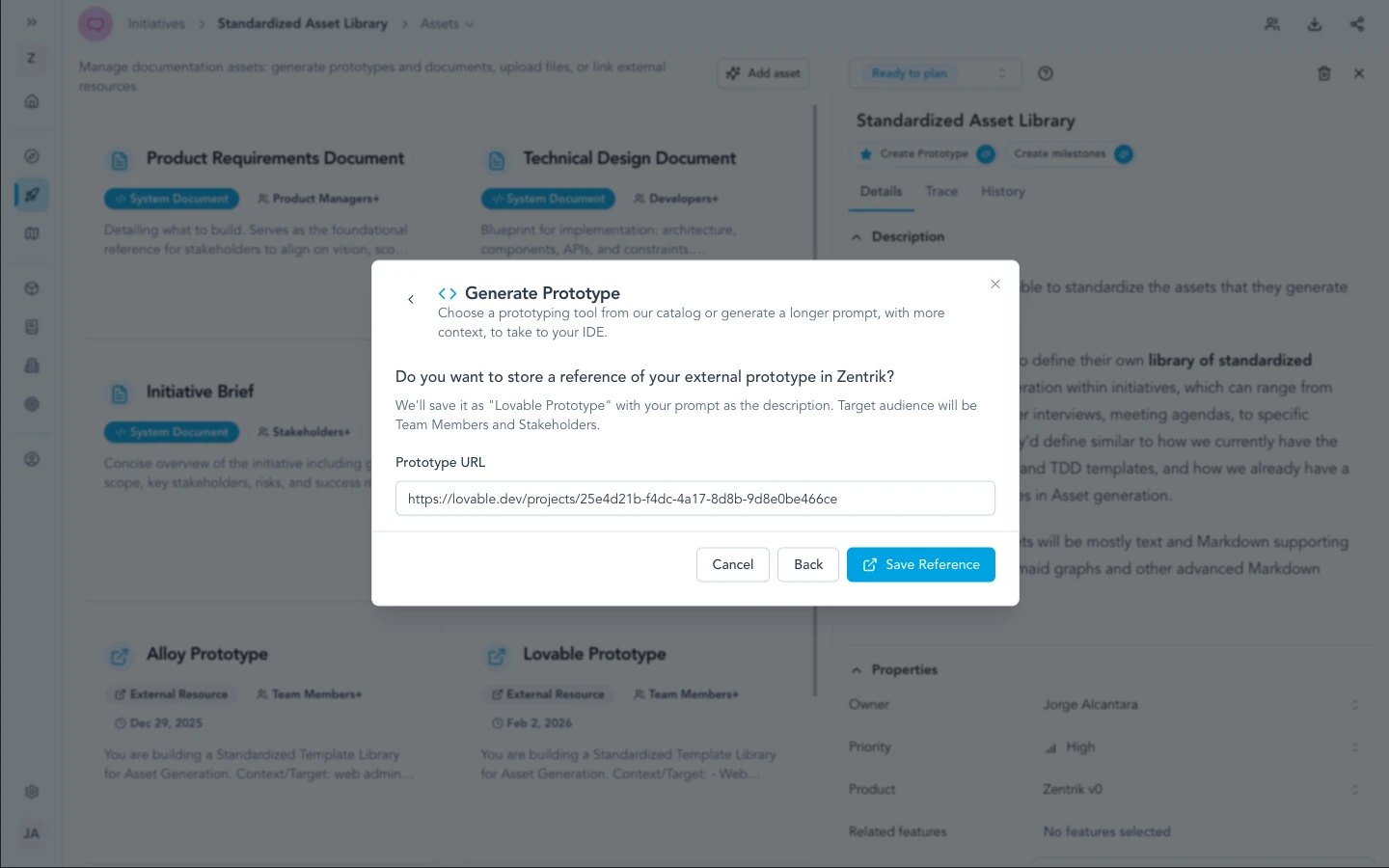
When you have a shareable Alloy result, store the URL on the initiative so the asset library stays the single place to reopen the exploration.
Why the extension matters
Without a capture, Alloy misses the DOM context that makes iterative edits meaningful. Install the extension on a supported browser, use staging when production capture is not allowed, and sign in to the target site in the same browser session when needed.
Security & admin
No Alloy API key lives in Zentrik for this path—only generated text and links you choose to save. Extension use should follow your org’s policy on recording internal or customer-facing UIs.
Troubleshooting
These steps cover Zentrik (prompts, pop-ups, generation). If the problem is inside Lovable, Bolt, or another external tool, use their support first.
Extension or capture problems
Try a staging URL, clear conflicting extensions, or sign in first. For Alloy-specific errors, see Alloy’s help or support.
Prompt from Zentrik looks wrong
Improve initiative context and regenerate in Zentrik. Contact us if the generator in Zentrik errors.