Evidence → initiatives
From customer evidence to initiatives
This guide explains how work moves from evidence (calls, tickets, paste) to learnings you validate, problems or bets you size together, solution ideas you explore, and initiatives when you commit on the roadmap. Names match what you see in the product.
That path uses workspace context (company background, product definition, goals) so priorities stay grounded. Set it up in Workspace context.
To bring evidence in (connectors, bulk imports, files, or paste—e.g. Zoom, Zendesk, and more), use Evidence → insights and the documentation hub.
Types in the product
- Signal
- Insight
- Opportunity
- Idea
- Initiative
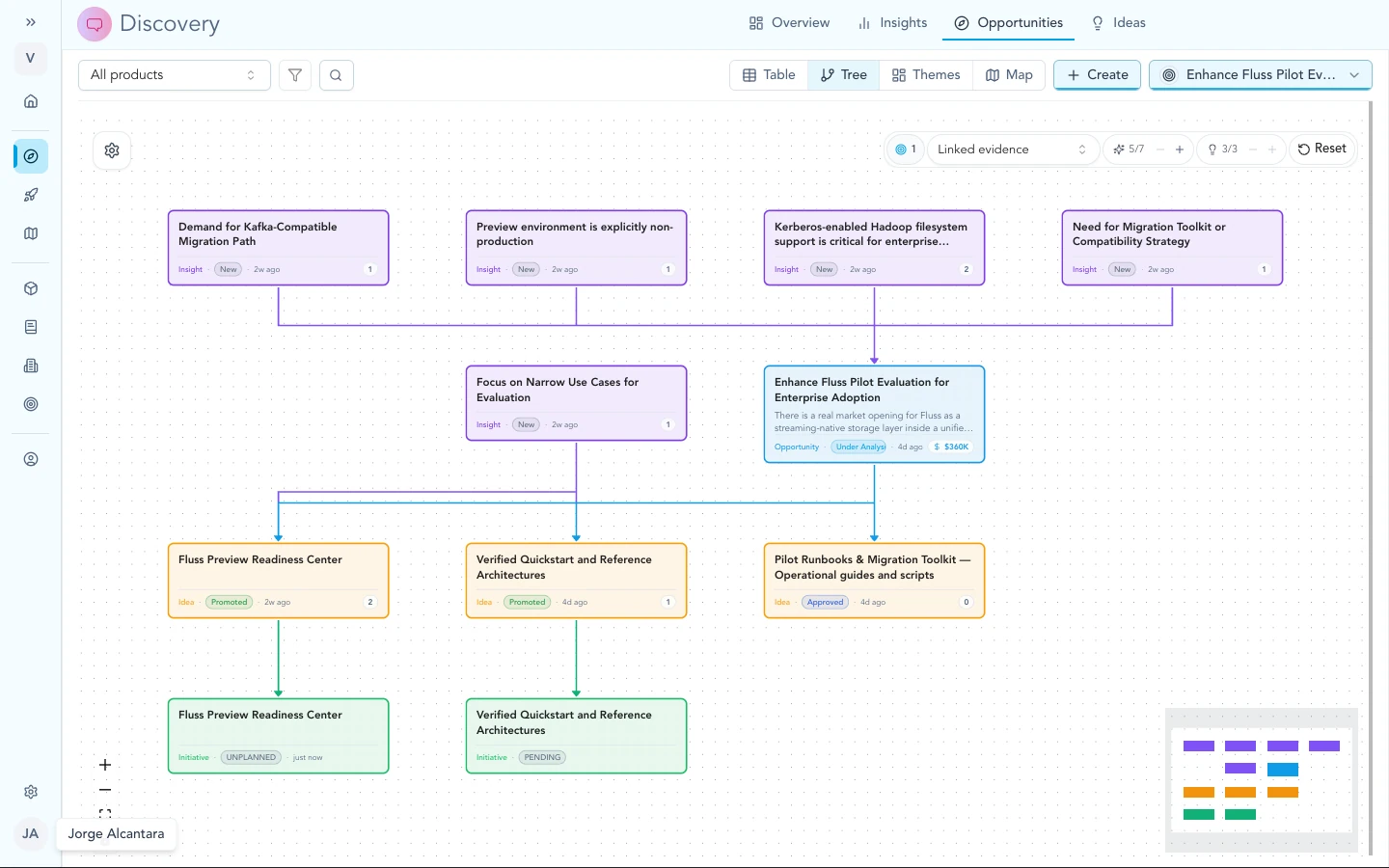
The opportunity tree shows insights, ideas, and initiatives in one place under each bet.
How workspace context helps
Personas, products, OKRs, KPIs, features, and market notes live in workspace context. Agents and planning use that layer so learnings and bets stay aligned with how you describe the product and the business.
Workspace context explains flat versus named context in more detail.
Evidence
When you import a call transcript, a support ticket, pasted notes, or a file, Zentrik keeps that material as a signal: one place with the source, the text, and processing status. This is the anchor for anything you later claim about what customers said or asked.
Learnings (insights)
Zentrik suggests insights from your signals: short, reviewable statements tied to the original evidence. When volume grows, add taxonomy and use themes on the map (Taxonomy & themes).
Problems and bets (opportunities)
When several learnings point at the same customer problem, gap, or strategic bet, you group them in an opportunity. That is where teams compare notes, attach impact or value thinking, and decide what is worth turning into concrete solution work. For day-to-day habits in this stage, see Insights → opportunities.
Solution ideas
Ideas are possible answers: a customer request (“we need this integration”), a sketched approach, or a fuller concept. They link back to the opportunities and learnings that justify them. When the team is ready to ship, an idea can move forward into an initiative.
The product can suggest related links or draft gaps after you save an opportunity or insight; you choose what to keep.
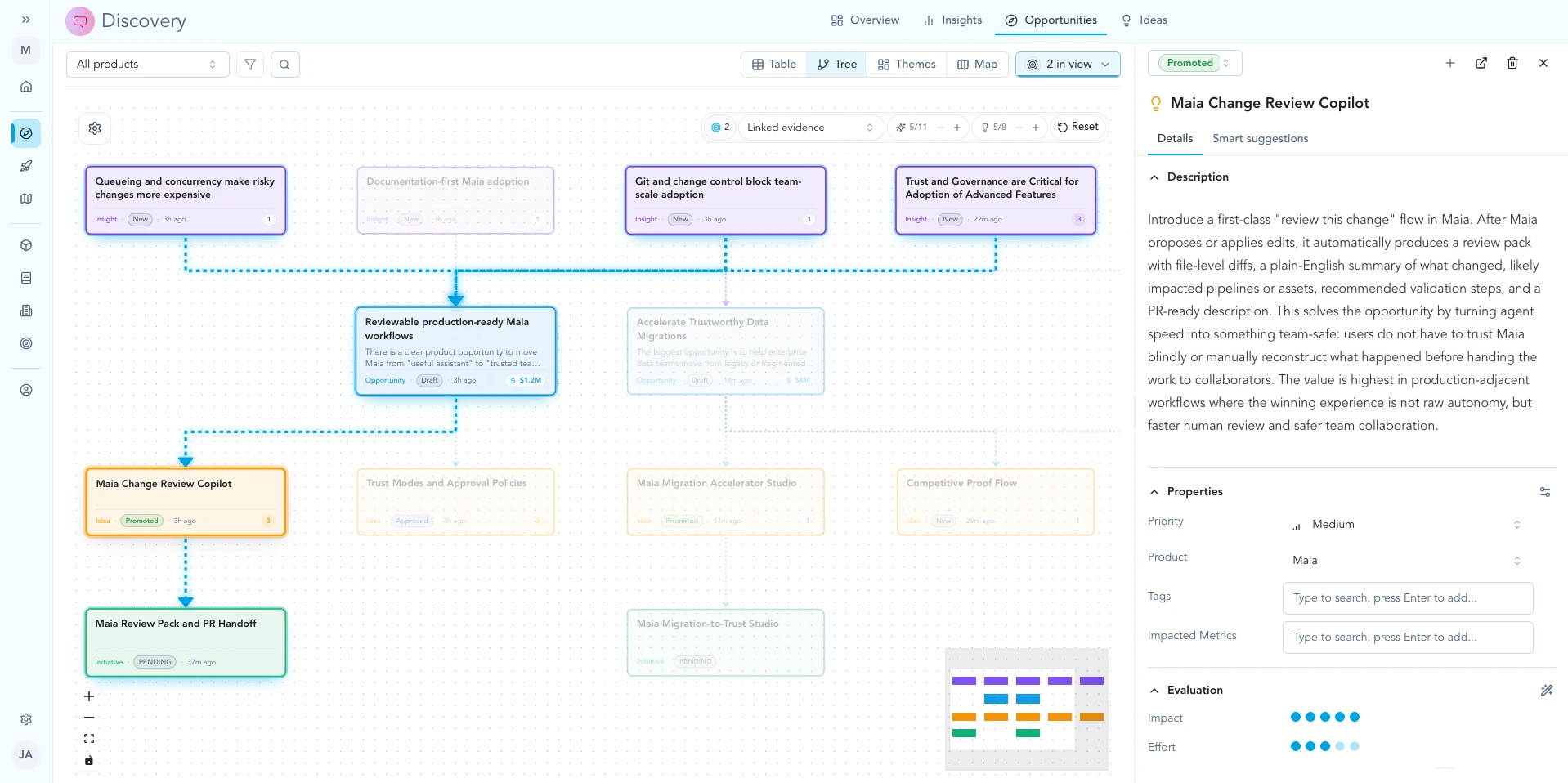
Open an idea to see how it links to opportunities and insights on the tree.
Committed work (initiatives)
An initiative is a project on the roadmap: specs, tasks, status, and delivery. When leadership commits, work lives here. The trail back to learnings and evidence should stay visible so scope debates stay tied to real customer input.
Seeing it together
The opportunity tree is the main canvas where evidence, bets, ideas, and promoted projects appear side by side. Use it when you want one view of how a theme flows from signal to roadmap.
Troubleshooting
These items are about workflow and expectations in the product, not a broken OAuth client. If something contradicts what you see in your workspace, note your workspace name and the screen, then contact us.
One card is doing too many jobs
Keep verbatim customer material on the signal, validated learnings on insights, shared problem framing on opportunities, and solution shapes on ideas. If one record mixes those roles, split it or relink so each step stays clear.
We have a solution request but no shared problem frame
Add an opportunity (or link the idea to one) so the team agrees what problem the solution is solving before you commit an initiative.