
Zentrik + Gong
Bring revenue and customer conversations into Discovery so PMs and leaders work from what buyers actually said—not from second-hand summaries. Pick a call, import the transcript, and attach speaker-backed evidence to insights and bets.
Admins save one workspace credential in Settings → Integrations.
Gong connects with a workspace access key and secret an admin saves once. After that, anyone allowed to run Discovery imports can pull selected calls without sharing personal Gong passwords.
Zentrik uses this for read-style workflows: list and fetch calls and transcripts you choose to import, like other discovery signal sources.
Connect Gong
Create the integration in Settings → Integrations → Gong and paste Gong’s Access Key and Access Key Secret from your Gong API settings.
Access key & secret
- In Gong, open the developer or API area your org uses to issue API keys.
- Generate a key pair with permission to read calls and transcripts you need.
- In Zentrik → Settings → Integrations → Gong, enter both values and save.
- Use Test connection or an import preview to confirm the workspace can reach Gong.
Secrets are stored server-side; Zentrik does not show them again in the UI after save.
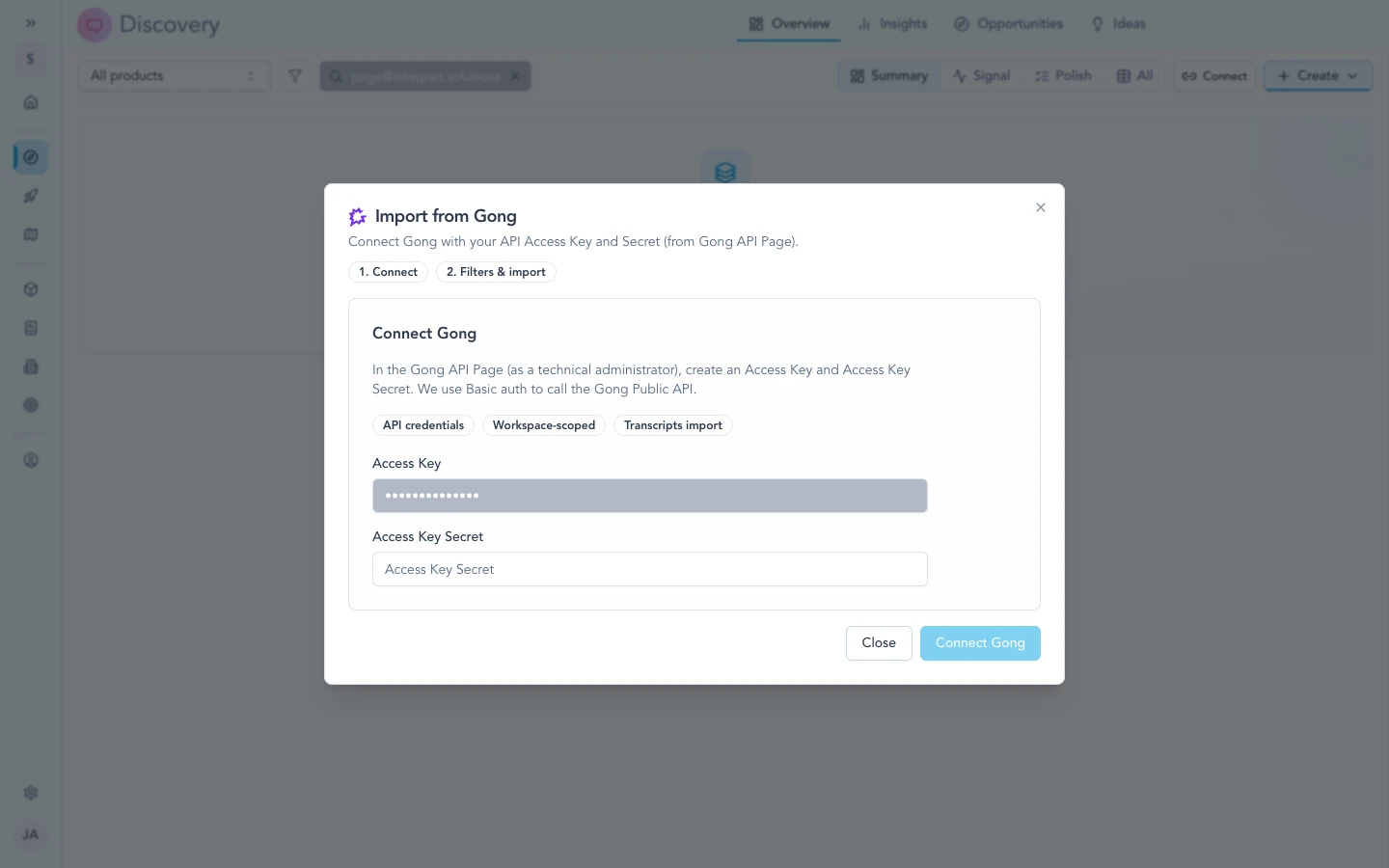
Once workspace credentials are saved in Settings, Discovery can reach Gong when you start a Gong import.
How to use it
Open Discovery and choose Gong from the transcript or signal import options. The call list reflects what the API credentials can see, subject to Gong’s retention and sharing rules.
Import calls
- Start a Gong import from Discovery.
- Search or filter to the conversation you need.
- Review transcript preview and speaker attribution when shown.
- Confirm import to create or enrich discovery records in Zentrik.
Use this to ground roadmap bets in verbatim customer language and to show leadership where a theme came from.
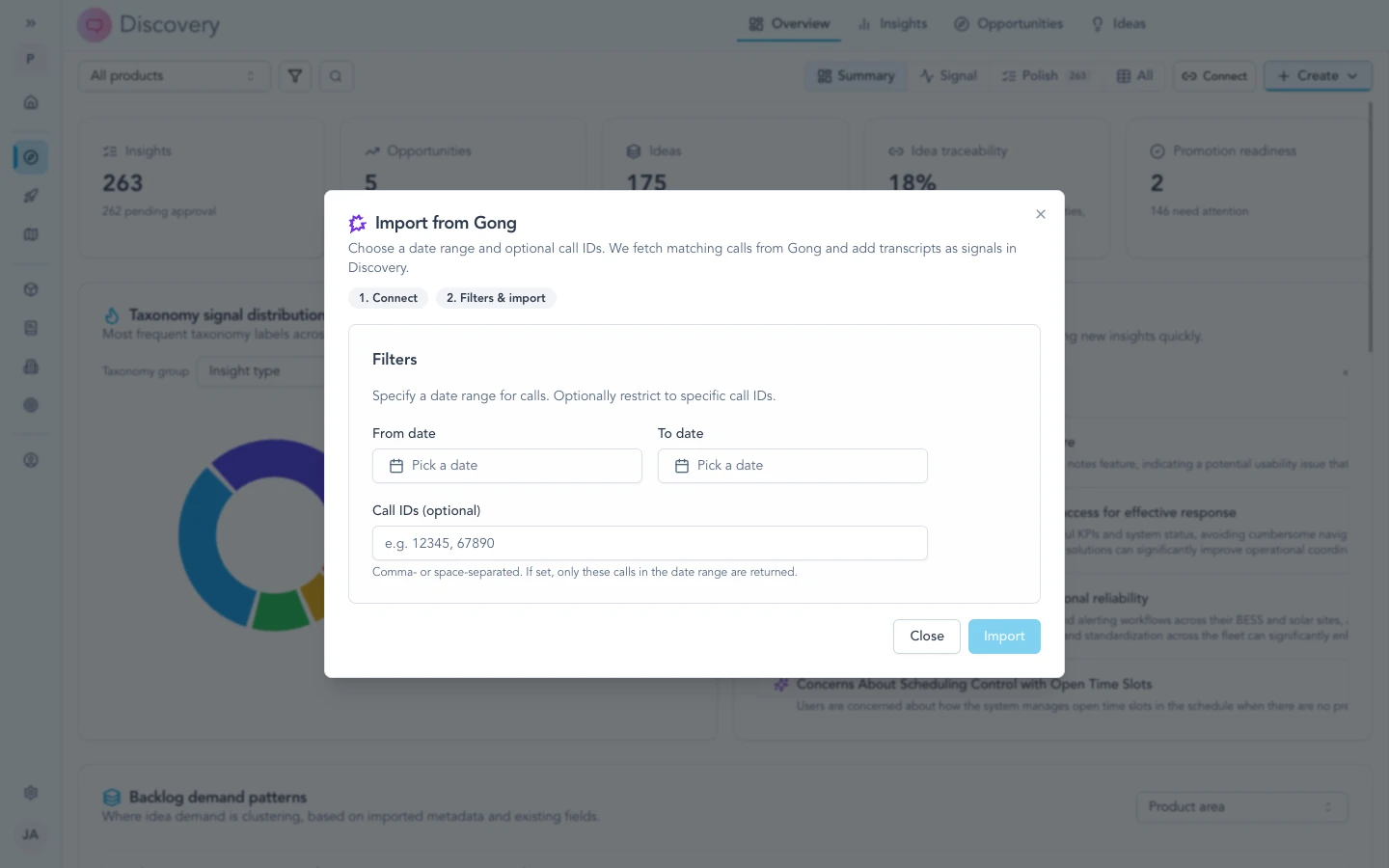
Filter and select the conversation to import; only calls your Gong workspace exposes to the integration appear here.
For workspace admins
- Workspace-level keys mean every permitted teammate imports against the same Gong tenant—less duplicated setup, one obvious source of truth.
- Rotate keys in Gong and update Zentrik when your security policy requires it; revoke old keys after cutover.
- If a call is missing from the picker, visibility is usually governed in Gong (sharing, retention, or key scope)—not a Zentrik-only filter.
Troubleshooting
Check credentials and permissions on both sides first. If you have verified everything and it still fails, contact us with your workspace name and what you tried.
Credentials not working
In Gong, create a new access key pair, paste both values into Settings → Integrations → Gong in Zentrik, and save. Watch for extra spaces when copying.
Call not listed
Confirm the call is visible in Gong for the same workspace the API key represents. If it is missing in Gong too, your Gong admin can help with sharing or retention.
Still failing
Contact us with your workspace name and what you tried—we will troubleshoot with you.