
Zentrik + Lovable
The fastest path from an initiative in Zentrik into a Lovable session. Zentrik drafts a prompt from your initiative context; Lovable runs it in the browser without extra setup on your side.
Zentrik includes a built-in handoff to Lovable. We generate prompts tuned to how Lovable works, using the problem, constraints, and context already on your initiative. You review and tweak the prompt in Zentrik, then send it to lovable.dev (or your team’s Lovable workspace) in a new tab.
When you have something to share, save the prototype URL back to Zentrik so design exploration sits next to PRDs and other initiative assets—your team stays aligned without hunting through DMs or separate folders.
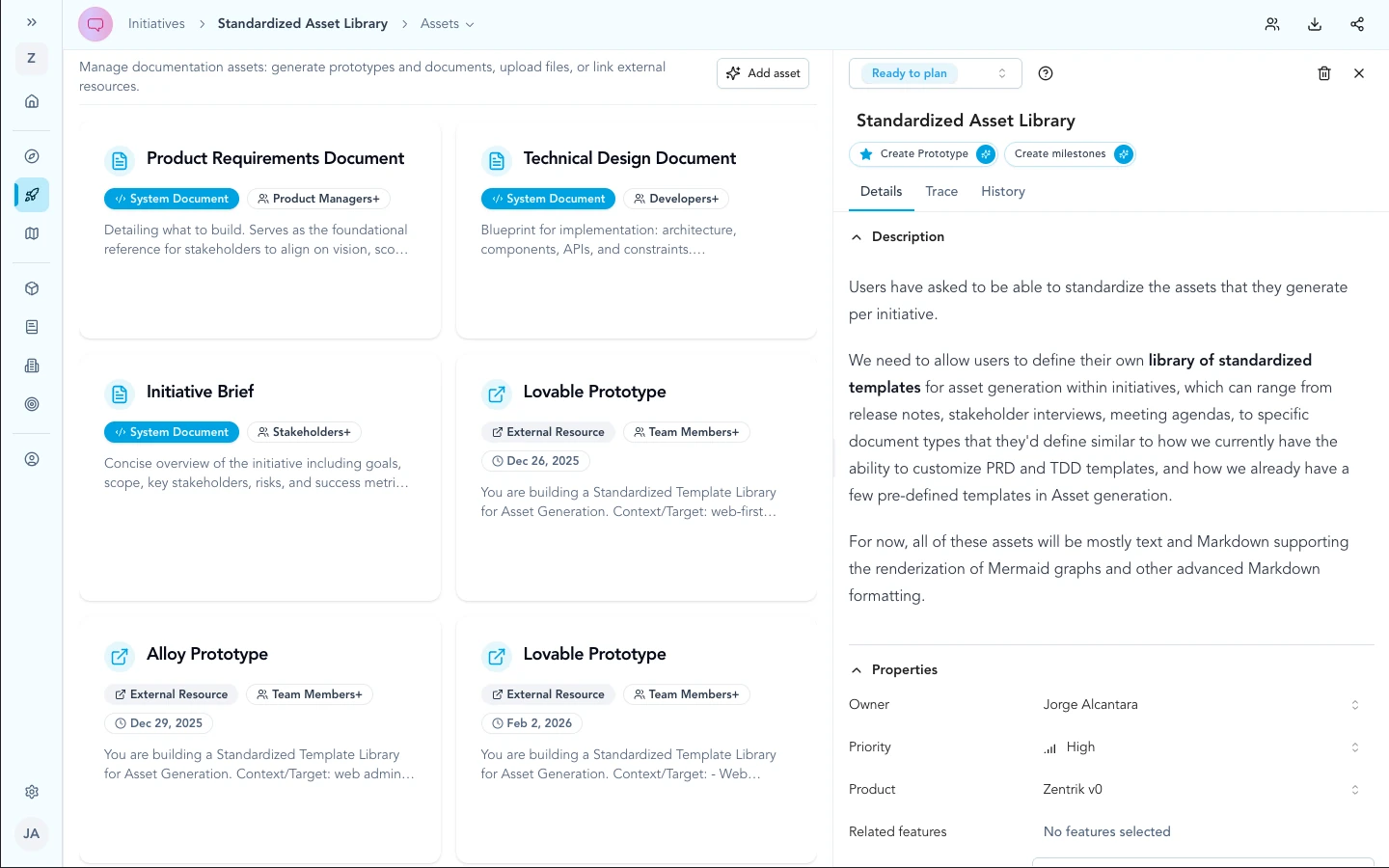
On the initiative Assets library, use Create prototype to open the Generate prototype flow—handoffs and saved external links stay next to PRDs and other assets.
How to run it
- Open the initiative and go to the Assets library.
- Click Create prototype to open Generate prototype.
- Choose Lovable in the tool catalog and wait while Zentrik generates the handoff prompt from initiative context.
- Review and edit the instructions in the modal, then use the primary action to open Lovable in a new tab.
- After you publish externally, complete Save external prototype so the Prototype URL appears as a card in the asset library next to your other documents.
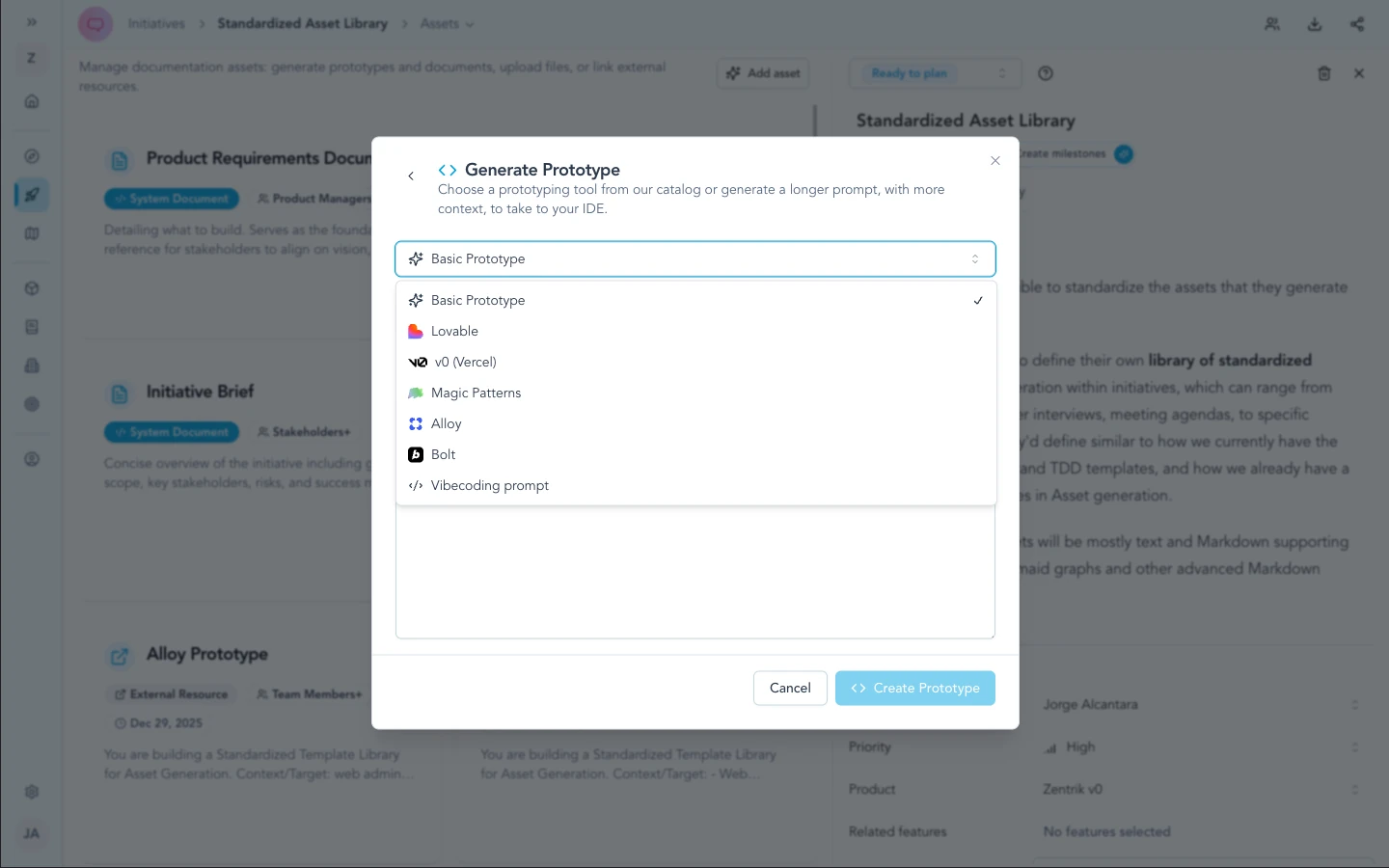
Choose Lovable in the catalog (alongside Vercel's v0, Magic Patterns, Alloy, Bolt, and related entries). The same modal is used for every handoff tool.
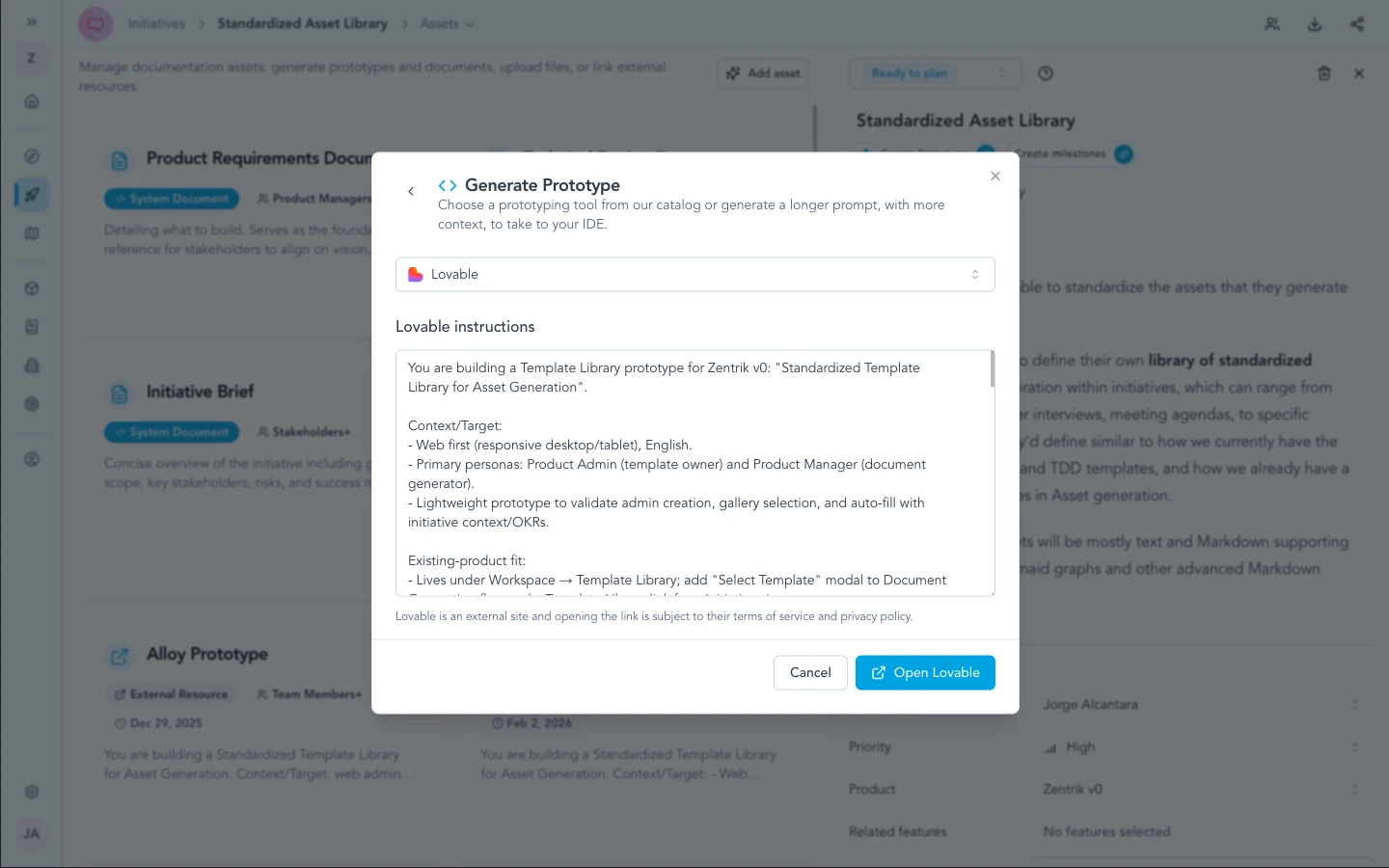
Zentrik shows in-modal progress while it drafts the prompt from initiative context—when it finishes, review the text and use the action to open Lovable.
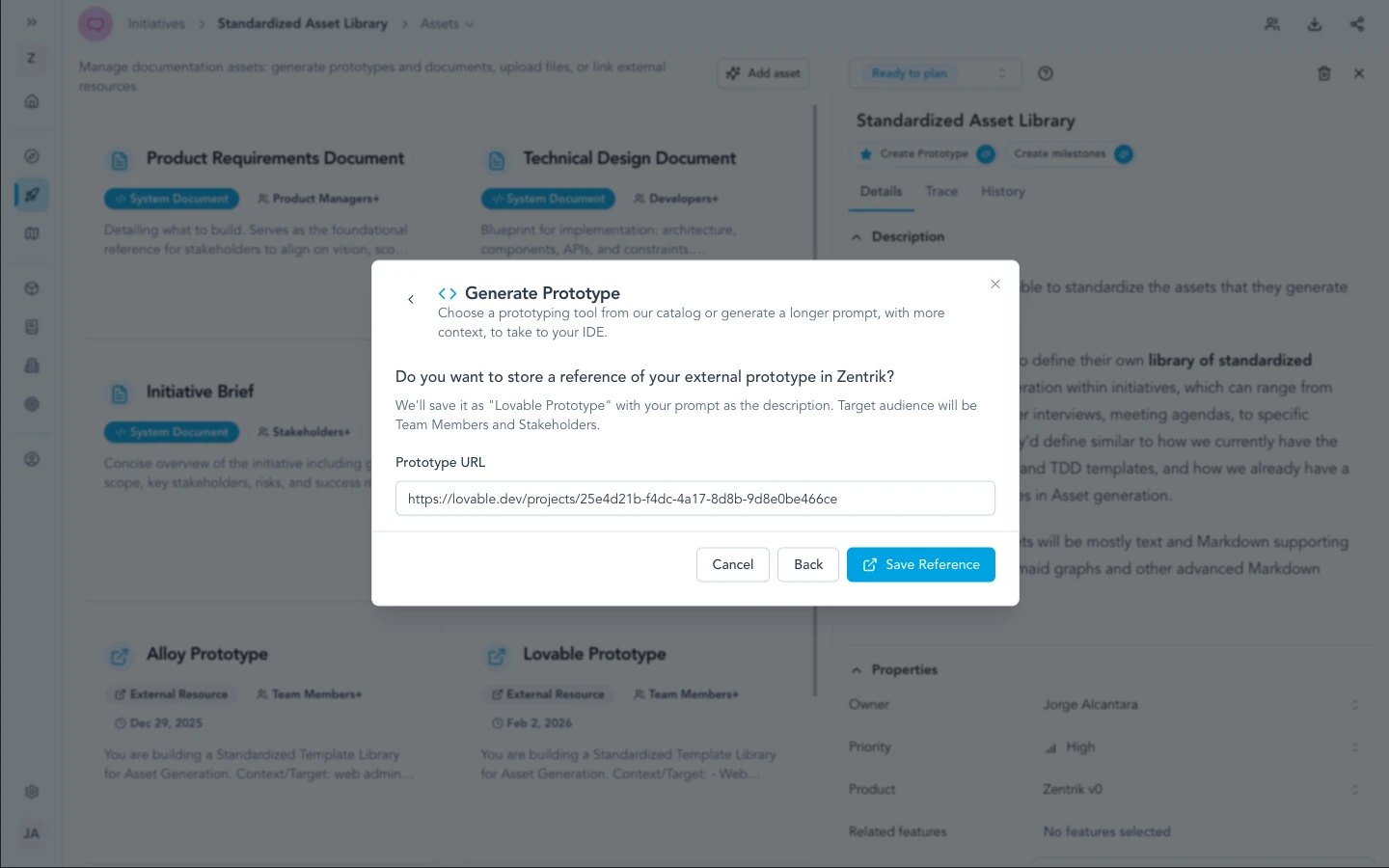
After publishing in Lovable, paste the Prototype URL (and optional notes) so the initiative stores an external prototype card in the asset library.
Security & admin
This path is a handoff, not a stored OAuth or API connection to Lovable inside Zentrik. There is nothing to rotate in Settings for Lovable itself—your security and compliance reviews should focus on what text you approve and paste into external tools, and on your organization’s browser and AI policies.
Zentrik does not automatically sync full initiative attachments into Lovable; only what you explicitly send leaves your review step.
Troubleshooting
These steps cover Zentrik (prompts, pop-ups, generation). If the problem is inside Lovable, Bolt, or another external tool, use their support first.
New tab did not open
Allow pop-ups for your Zentrik site, then run the handoff again.
Prompt needs better detail
Enrich the initiative (problem, constraints, flows), then regenerate the prompt in Zentrik before opening Lovable.
Something wrong inside Lovable
Lovable runs outside Zentrik. For login, billing, or product issues there, use Lovable’s support. Contact us only if exporting the prompt from Zentrik fails.